Maintain Vendors
This option allows you to create and modify the Vendor list.
Note that you can either click on any of the buttons or use the
"hotkey" by pressing the CTRL key with the underlined letter on the
desired button.
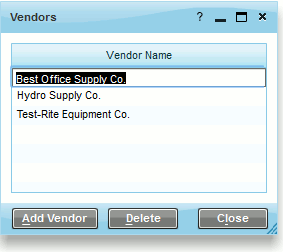
-
To modify a vendor name, simply click on a
vendor and change the name.
-
Add Vendor - insert a
new vendor name into the vendor list.
-
Delete - delete an existing
vendor. Note that if transactions have been recorded against that
vendor, you will not be able to delete it.
- Close - Close the window.
